Sales per site
Which shop sells what and when the peak hour is, with a heat map. Figures are not collected in the evening - they are recorded as they happen.
Multi-site selling, stock and accounting in one database. The manufacturing modules are not installed - a shop does not need them, and extra menus only slow the work down.
In one shop a spreadsheet works. Across five sites, five different files arrive every evening and the stock figure is wrong in all of them.
Which shop sells what and when the peak hour is, with a heat map. Figures are not collected in the evening - they are recorded as they happen.
Stock is not typed in: receiving and selling move it. An item running low raises a signal.
A simplified screen for the storekeeper - the variance document is created by the system itself.
Sales and receiving turn into journal entries. Nothing is entered a second time at month end.
Missing details appear in the list before the invoice goes out.
Customer cards and repeat sales - the network builds its own base.
A receipt or payment order carries its own number, basis and state. A posted order reaches the ledger; a draft does not affect reports.
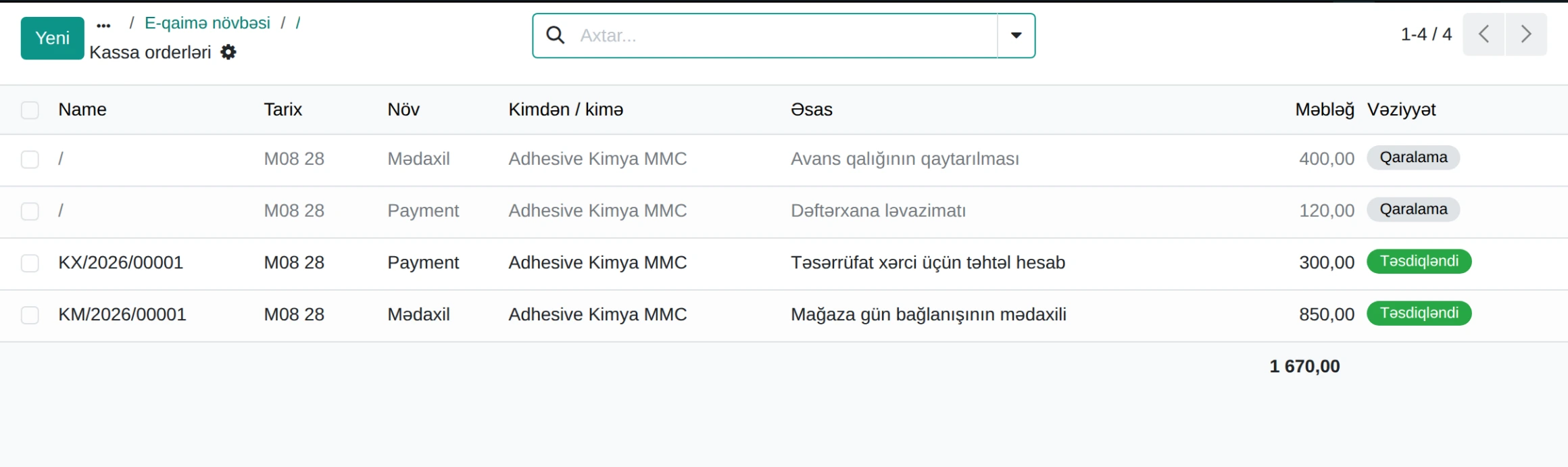
Cash orders · demo database
The profile brings only what is needed. Manufacturing, laboratory and environmental modules are not installed.
Number of sites, number of tills and the systems you use today - write these in the demo request and the walkthrough is prepared for your setup.