Localisation is built in
Chart of accounts, VAT, TIN, invoice template, income tax and social contribution rates, e-invoice preparation, customs declaration and commodity codes - these are the system's own modules.
From bookkeeping and stock to the sales pipeline, HR, documents and analytics - all in one database instead of separate programs. VAT, TIN, social contributions, e-invoice and customs are already there, not bolted on later.
The documentation is public - you can read how the system works before buying. A 30-day trial database is also available - just say so in the demo request.
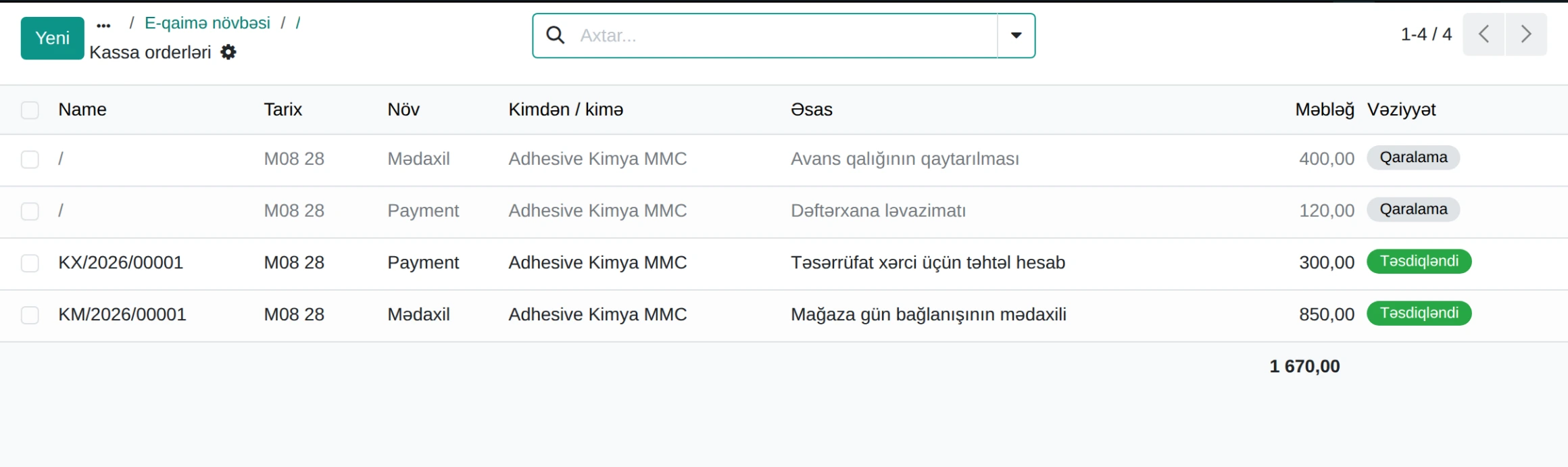
A role picks the system, not a module. Choose your job below and you get that person's daily screens and documents.
In a system with hundreds of menus and screens a user's question always takes one of three forms: where is it, what is this, how do I do it. The ERPONA assistant answers all three - and invents nothing.
The index is built from live metadata: screen name, address, procedure steps. A newly installed module is known automatically.
It creates no facts. Every number and every address in the answer must exist in the facts - otherwise the answer is dropped and the system's own text is sent.
The assistant does not create or change documents and does not calculate figures. Posting an entry from a chat window is closed on purpose.
A foreign system is bought, and then months are spent commissioning custom work for social contributions, e-invoice and TIN. ERPONA brings these in the core.
Chart of accounts, VAT, TIN, invoice template, income tax and social contribution rates, e-invoice preparation, customs declaration and commodity codes - these are the system's own modules.
Finance, stock, HR and sales work the same in every business. Whatever is specific to an industry is a separate package - a company that does not install it never sees the extra menus.
A movement recorded in the warehouse or on the production line flows into cost and from there into the profit and loss report. No manual re-typing in between.
The storekeeper works in Azerbaijani, a foreign buyer in English, a partner in Russian. The language is set per user.
With the report builder a user assembles and saves their own view - no waiting for a developer for every question.
Step-by-step guides with real interface screenshots live at docs.erpona.app. Training does not start after the sale.
The images below are taken from a live ERPONA installation. The figures come from a demo database; the screens are the same as the ones customers use.
Before an invoice goes out, the system checks it and names the missing detail - "the company TIN is empty", for example. The mistake is caught in the system, not on the tax portal.
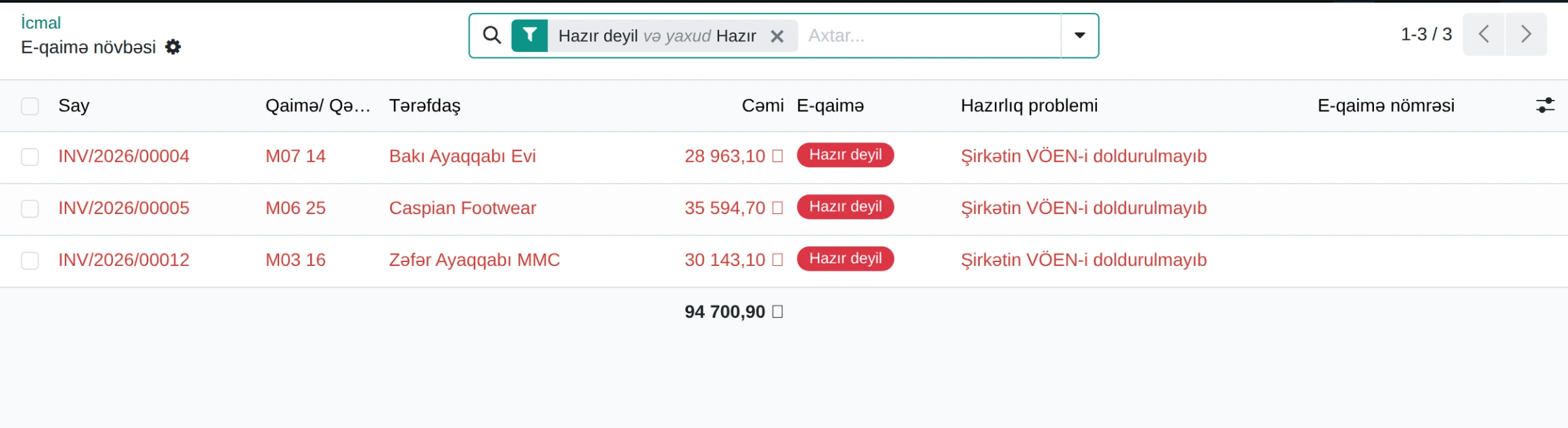
E-invoice queue · demo database
Balance sheet, profit and loss, trial balance and general ledger are built on local account codes - 111100, 211100, 533100. The report is one an auditor here recognises.
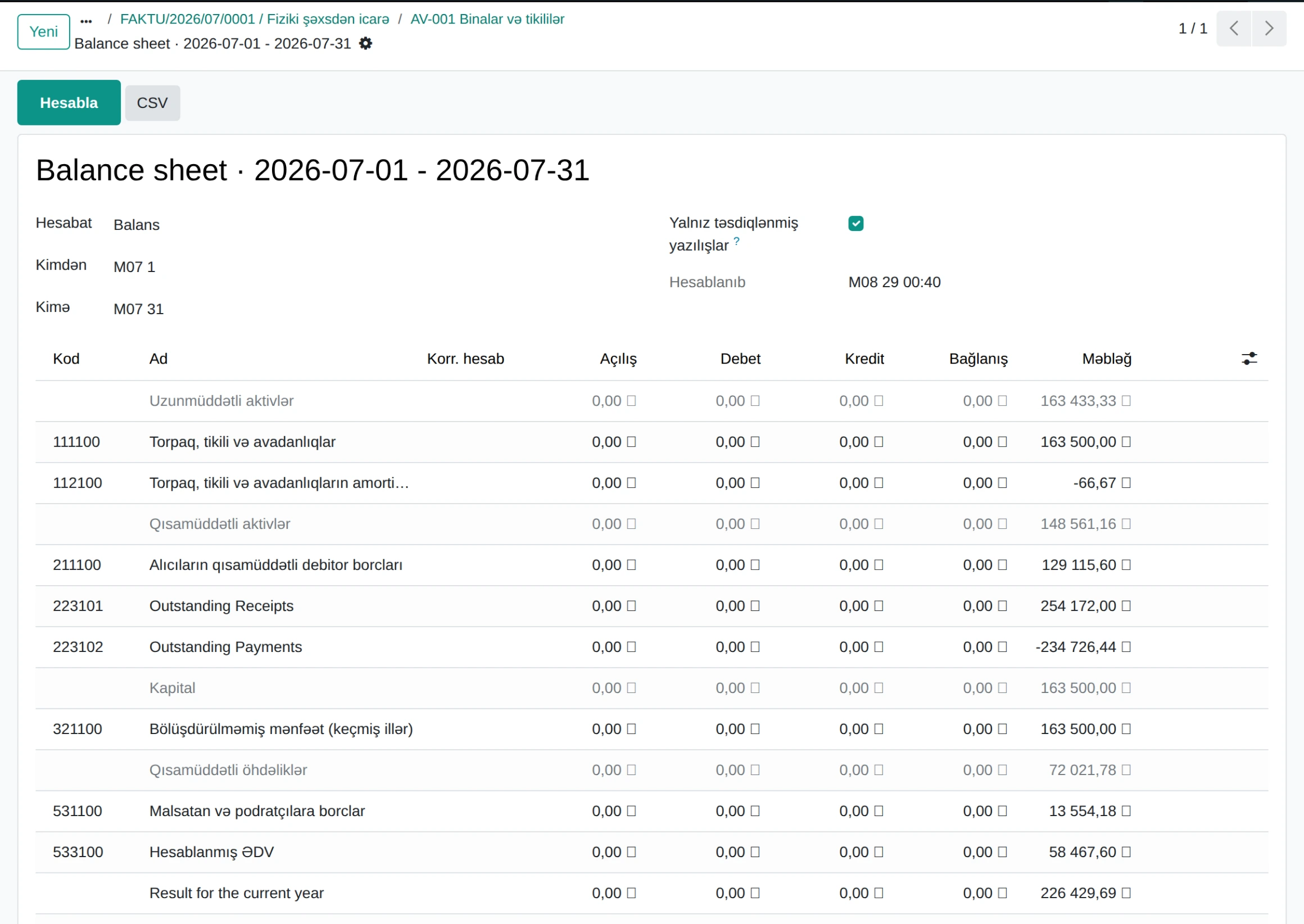
Balance sheet · demo database
The system lists the steps, marks what is unfinished and counts what is blocking. The month does not close until the period is locked.
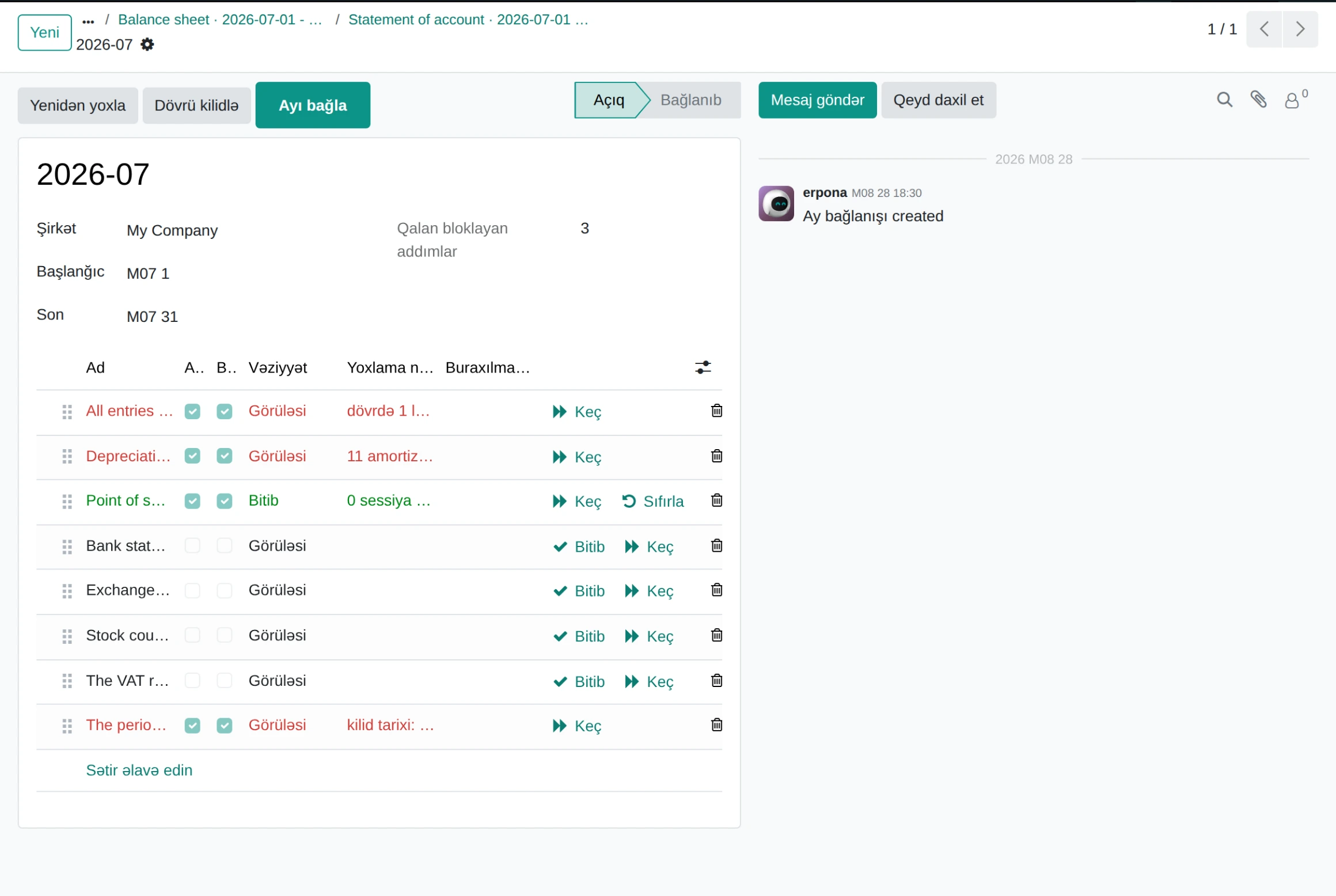
Month-end close · demo database
These work the same in a factory, a shop and a service company. You do not have to buy all of them.
A module-by-module description is on the Azerbaijani page.
Every industry has its own unit of account, its own stages and its own reporting. ERPONA does not mix that into the core: the industry-specific screens come as a separate package installed with one command.
Raw material to finished goods, with batch tracking.
Multi-site selling, without the manufacturing modules.
Both packages were built for real companies and are in use. If your industry is not on the list, a package is built the same way - without touching the core, finance or localisation. Tell us your industry.
A stage is not started before the previous one is signed off - that is where half-finished ERP projects come from.
Industry, workflow, document forms and user roles are written down.
Server, database and the right profile; company details are entered.
Items, partners, balances and the opening trial balance are moved.
Every role works on its own screen; the docs stay on the portal.
A parallel month, then the full switch. Backups and monitoring are set up.
The licence is per user. Rollout and data migration are one-off work and are not folded into the monthly fee.
On requestUp to 10 users
On requestWith the screens of your industry
On requestSeveral companies, several databases
A monthly or yearly licence based on the number of active users. A storekeeper, a salesperson and an accountant count the same - there is no per-role tariff.
Installation, tuning the industry package, data migration and training are quoted separately and are not added to the subscription.
Releases, security updates and the documentation portal are included for the licence period. An SLA is written into the enterprise package.
The system can run on your own server or on one we manage. Either way the database is yours: a full copy (PostgreSQL dump plus the file store) is available at any time. Cloud is not compulsory.
Yes. That is the third stage of the rollout: items, partners, balances and the opening trial balance are moved. Afterwards the balances are reconciled against the old system - if a difference remains, go-live does not happen.
The system prepares the invoice: it checks the TIN, the amounts, VAT and the numbering, and lists whatever is missing. It is a preparation and bookkeeping layer - automatic exchange with the portal is agreed separately.
There are five stages, each with a check at the end. The duration depends on the size of the company and the state of the data to be migrated; migration is usually the longest stage. A concrete schedule is given after discovery.
The interface is in Azerbaijani, English and Russian, and the language is set per user. The documentation portal is in Azerbaijani.
Two ways. The documentation portal is public and shows every screen with real images. And a demo request gets you a demo database matched to your industry, with a 30-40 minute walkthrough. And third: a 30-day trial database - just mention it in the request.
Write to us and a demo database is prepared for your industry and user count. The walkthrough takes 30-40 minutes.