Chart of accounts
The Azerbaijani chart comes ready and is applied to the company. Opening balances are loaded through a separate import step.
The Azerbaijani chart of accounts, VAT, TIN, social contributions and e-invoice sit in the core of ERPONA. They are not later additions - the system was built on top of them.
The documentation is public: you can read step by step how each screen works before buying.
The Azerbaijani chart comes ready and is applied to the company. Opening balances are loaded through a separate import step.
VAT bookkeeping, the structure of the return and the VAT deposit account. The invoice template ships with the TIN on it.
Simplified tax, profit tax and withholding at source - each with its own screen.
Income tax, social, unemployment and medical insurance with a rate table. The table lives in the database - when the law changes the accountant edits it.
Two depreciation methods: accounting (straight-line, the one that enters cost) and tax (declining balance). Only the accounting method is posted.
Automatic download of the central bank rate and period-end revaluation.
Closing a period is not left to memory: the system lists the steps, marks what is unfinished and counts what is blocking. The month does not close until the period is locked.
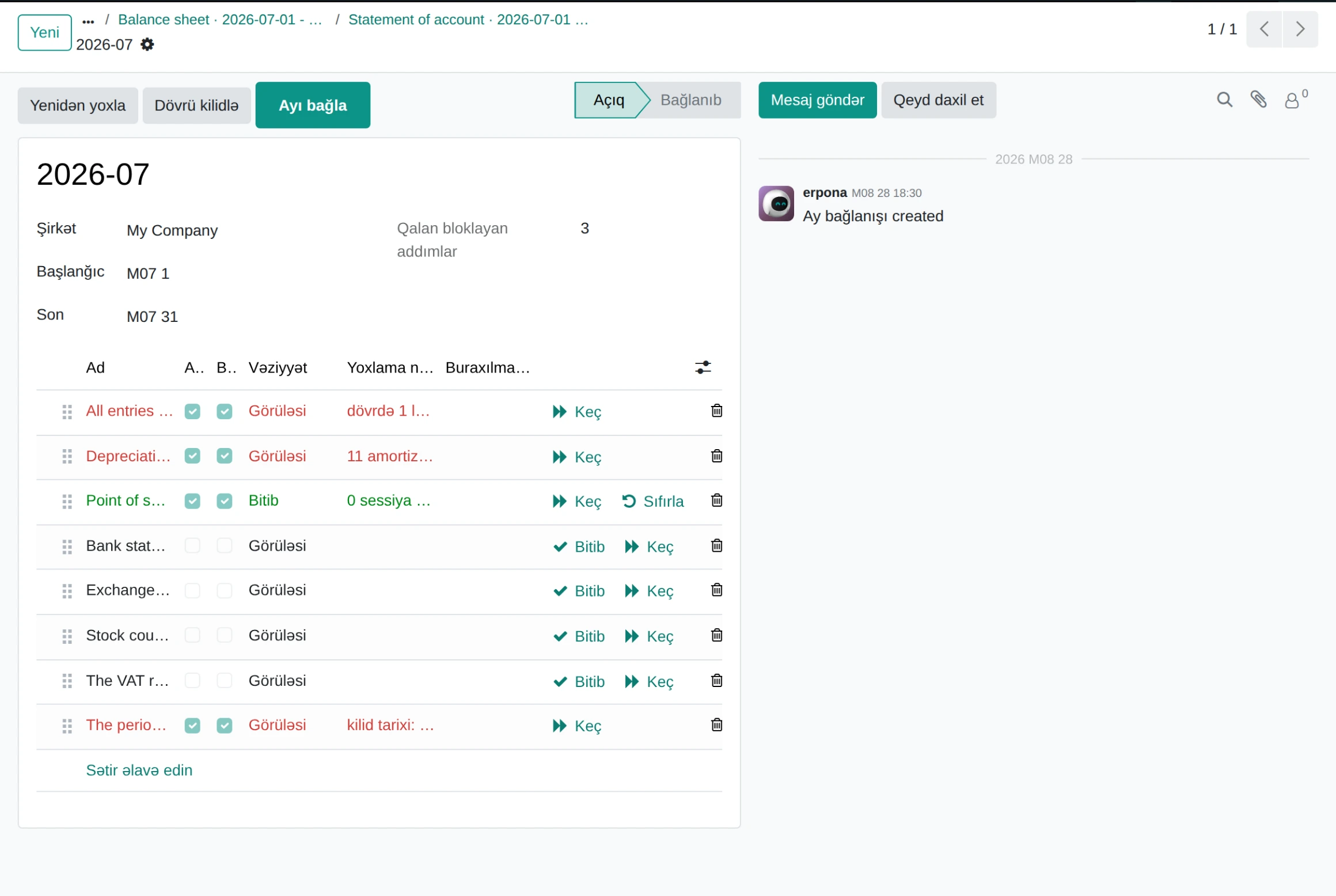
Month-end close · demo database
Balance sheet, profit and loss, trial balance, general ledger and ageing. The codes come from the Azerbaijani chart - 111100, 211100, 533100 - so the report is one a local auditor knows.
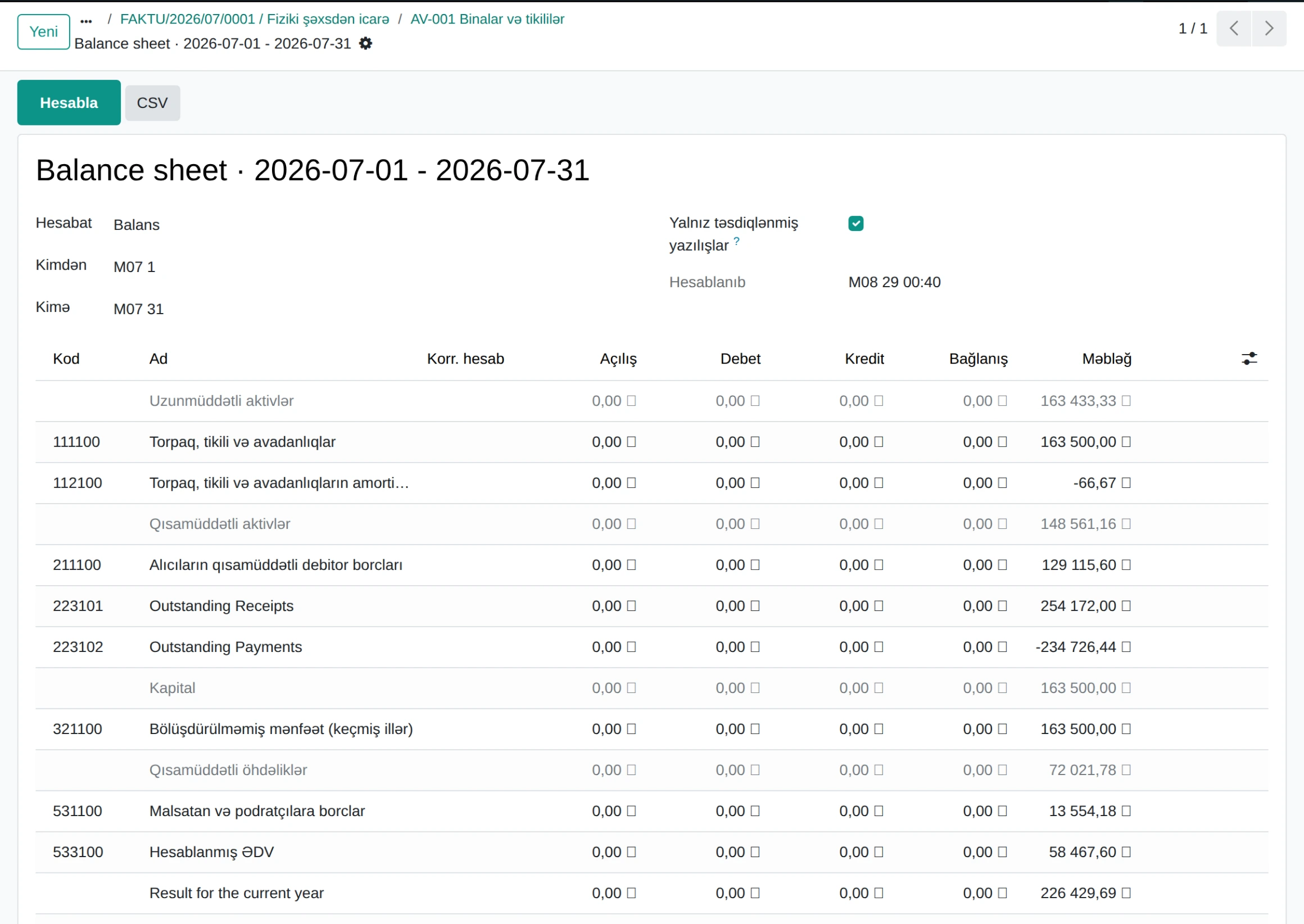
Balance sheet · demo database
A missing detail appears in the list by name - "the company TIN is empty". The mistake is caught in the system, not on the portal.
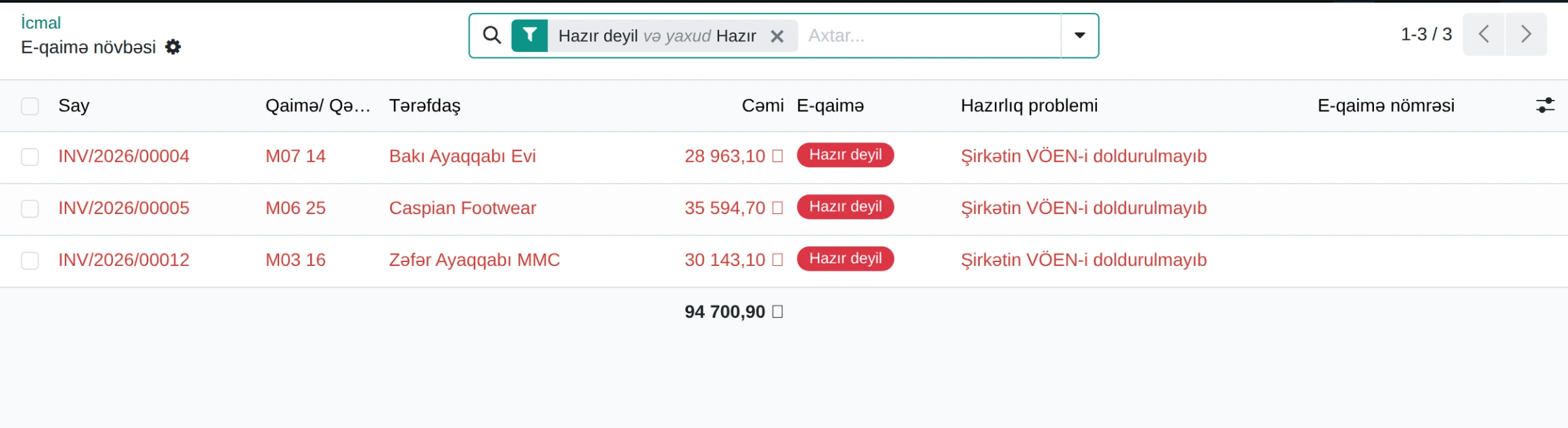
E-invoice queue · demo database
Each item below has a step-by-step guide on the documentation portal.
The Azerbaijani chart ships as a module and is applied to the company during installation. After that you can add your own accounts and rename them - the chart is not locked.
Rates live in the database, not in the code: the percentage, the bracket threshold and the effective date are rows in a table. The accountant adds a new row, and past periods keep their old rates. There is no waiting for a release.
No. The month-end close screen locks the period, and nothing posts into a locked period. Before closing, the system lists the blocking steps - depreciation, bank statement, FX rates, stock count, VAT.
Yes. A document cannot be deleted before its retention period is over, and once it is over the document is archived, not deleted. The period is set by the accountant; the system only enforces it. There is no default rule, so that no figure is mistaken for an approved one.
Audit export is a separate screen and reports export to CSV. Beyond that, a full copy of the database is available at any time - the data is yours.
Yes, each has its own screen, as does withholding at source. The module does not file returns: it calculates and creates the journal entry.
The accounting section of the documentation portal is fully open: an explanation and real screenshots for every screen. To see the system live, a demo request is enough.